
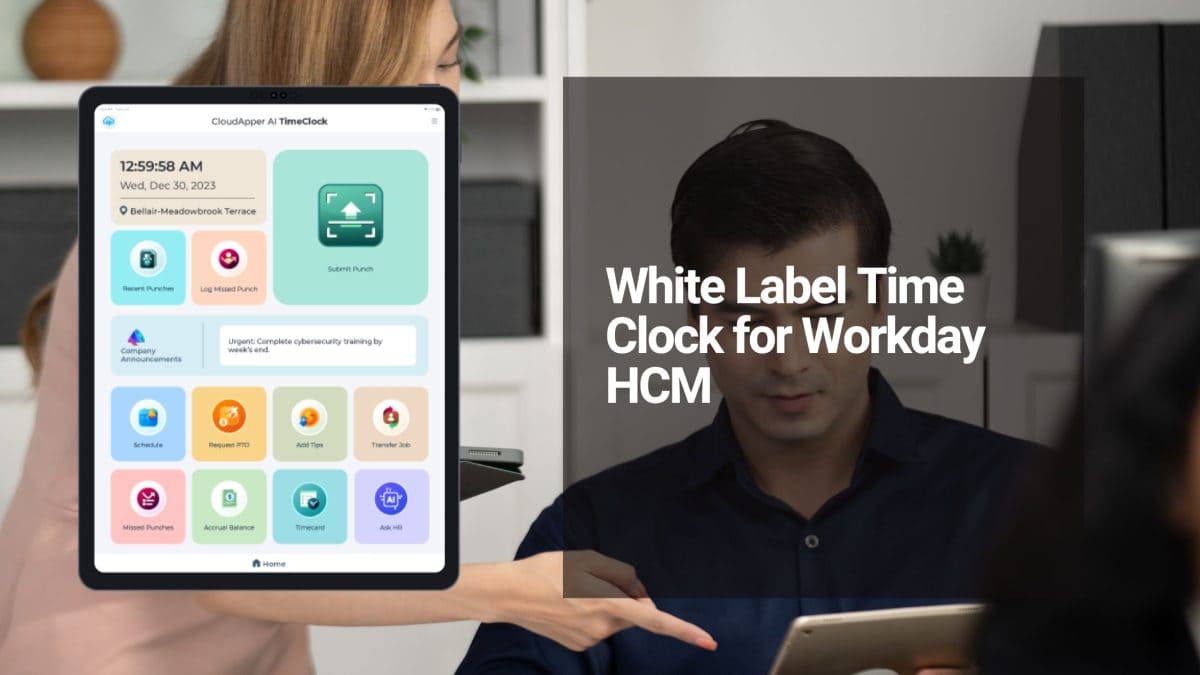
White Label Time Clock for Workday: Achieve Premium Branding Without Expensive Hardware
Turn Any Tablet
Into an AI Time Clock

 Time Capture
- HR Chatbot
- Self Service
- Time Card & PTO
Learn More
For more information on CloudApper AI TimeClock visit our page here.
Many organizations running Workday HCM face a common dilemma: they want a modern, branded time tracking experience for employees, but dedicated time clock hardware is costly, rigid, and difficult to customize. Generic or expensive kiosks often fail to match company branding, resulting in a disconnected employee experience and higher operational expenses.
A white label time clock for Workday resolves this challenge by turning everyday tablets or iPads into fully branded, intelligent time tracking kiosks — delivering professional appearance and powerful features at a fraction of the traditional cost.
How White Labeling Solves the Hardware Cost Problem
Instead of investing in specialized, bulky time clocks, companies can deploy standard, affordable tablets and apply complete visual customization. The result is a sleek, on-brand solution that feels like an internal company tool rather than third-party hardware.
Standout Benefits
- Full Brand Customization — Incorporate your logo, corporate colors, and design elements so the time clock perfectly aligns with your identity.
- Significant Cost Savings — Eliminate the need for expensive dedicated devices while maintaining enterprise-grade performance.
- Employee Self-Service — Staff can conveniently view schedules, submit time-off requests, and check accrual balances directly from the kiosk.
- Multiple Secure Clocking Methods — Support touchless facial recognition, PIN, NFC, QR code, and barcode for fast, hygienic, and accurate time capture.
- Reliable Operation — Includes geo-fencing, offline mode, and 24/7 AI assistance for uninterrupted functionality across locations.
- Real-Time Workday Integration — Seamless synchronization with Workday HCM ensures accurate payroll processing, absence management, and labor data without manual entry.
Implementing a white label time clock for Workday allows organizations to deliver a consistent, high-quality employee experience while keeping hardware and maintenance costs low.
Ready to brand your time tracking without breaking the budget? Read the full guide: White Label Time Clock for Workday HCM
For an affordable touchless biometric AI time clock designed specifically for Workday time tracking and payroll, explore: CloudApper AI Time Clock for Workday
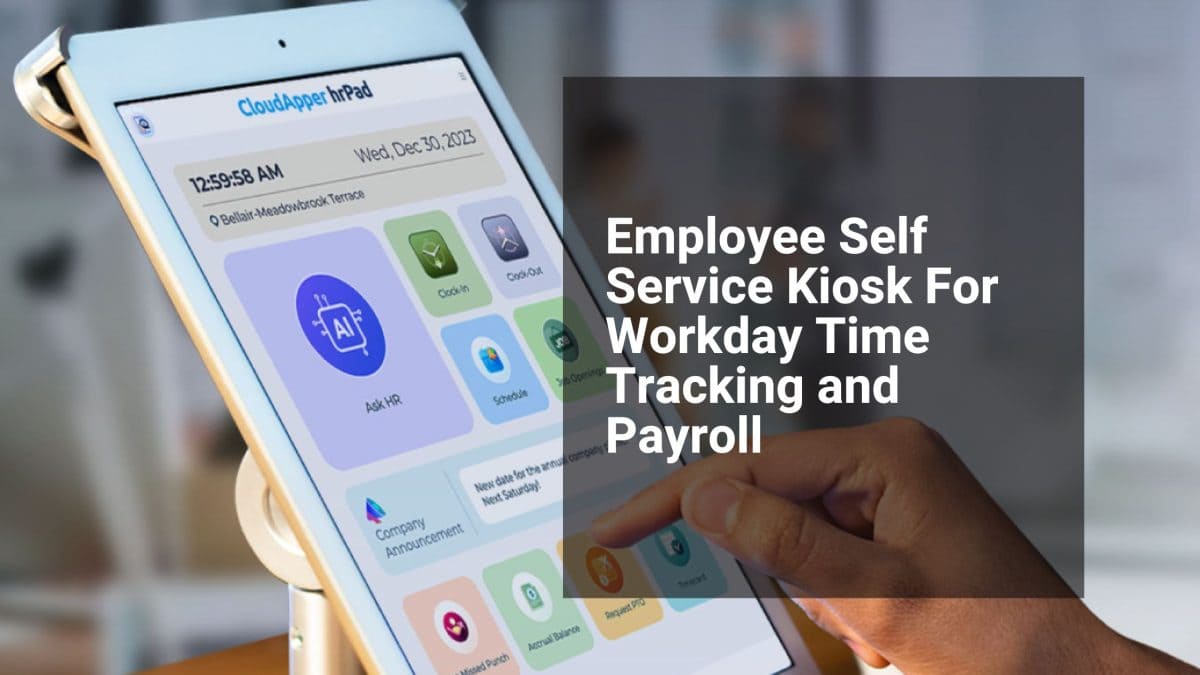
Workday Employee Self-Service Kiosk: Simplify Time Tracking and Payroll for Frontline Teams
Turn Any Tablet
Into an AI Time Clock
- Time Capture
- HR Chatbot
- Self Service
- Time Card & PTO
Learn More
For more information on CloudApper AI TimeClock visit our page here.
Frontline and deskless workers using Workday often face frustration with time tracking and payroll access. Limited computer availability, long queues at shared terminals, and manual processes lead to delays, errors, buddy punching, and increased HR workload. A modern Workday employee self-service kiosk effectively resolves these issues by converting any tablet into a secure, user-friendly self-service station right where employees work.
This solution integrates directly and bidirectionally with Workday Time Tracking and Payroll. Employees can securely clock in and out using touchless facial recognition, view real-time pay information, submit time-off requests, check leave balances, update personal details, and receive instant answers to HR questions through a built-in AI assistant. Offline functionality ensures punches are captured even without internet, with automatic syncing upon reconnection. Geo-fencing further enhances accuracy and compliance.
Compared to traditional expensive hardware kiosks, this tablet-based approach is affordable, flexible, and quick to deploy across multiple sites without custom development or heavy IT involvement. It significantly reduces payroll errors, minimizes administrative tasks for HR, and empowers employees with greater control and transparency over their time and pay data.
Main Benefits Include:
- Seamless real-time data sync with Workday for timecards, absences, and payroll
- Advanced biometric security options to prevent time theft
- Comprehensive self-service features including PTO management and profile updates
- 24/7 AI-powered support for common employee queries
- Easy deployment on standard iOS and Android tablets
Implementing a Workday employee self-service kiosk helps organizations modernize workforce management, improve operational efficiency, boost employee satisfaction, and maintain better compliance.
Learn more in the original article: Employee Self Service Kiosk For Workday Time Tracking and Payroll.
Discover the powerful AI tablet solution: hrPad AI Tablet for Workday Self-Service.
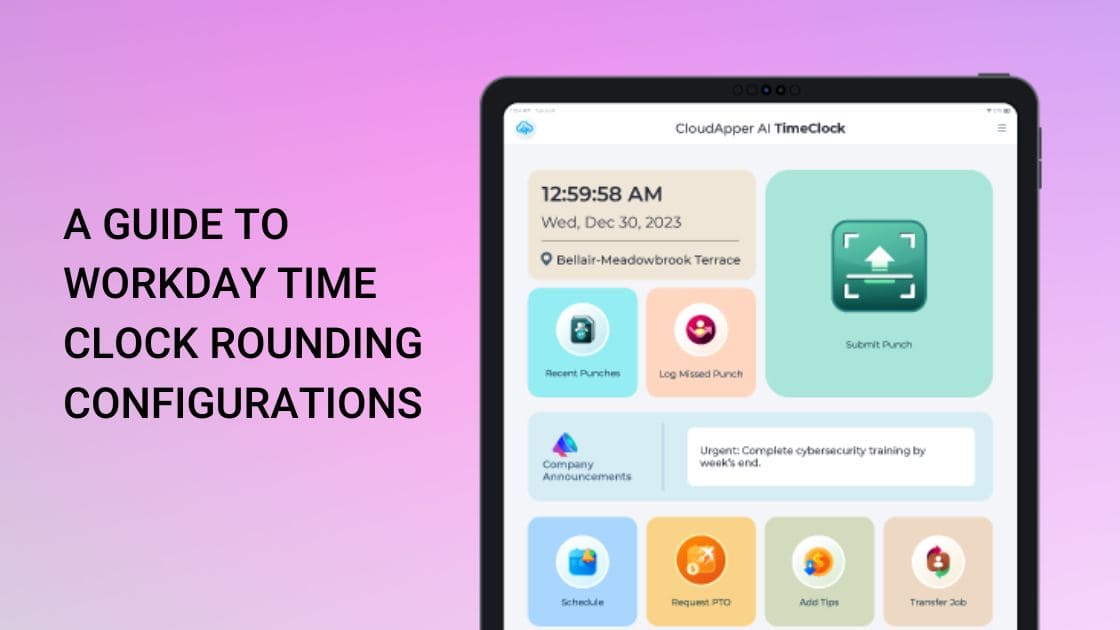
Streamlining Workday Time Clock Rounding for Manufacturing: Precision, Shift Handovers & Labor Cost Control in Production Environments
Turn Any Tablet
Into an AI Time Clock
- Time Capture
- HR Chatbot
- Self Service
- Time Card & PTO
Learn More
For more information on CloudApper AI TimeClock visit our page here.
Manufacturing facilities—automotive, food processing, electronics assembly—rely on tight shift schedules, production lines, and strict downtime minimization. Hourly workers clock in/out amid noisy environments, shift changes, and safety protocols. Workday’s time clock rounding configurations help simplify payroll while maintaining accuracy, but improper setup risks overtime creep, compliance issues, or employee dissatisfaction in high-volume shift operations.
Why Nearest 15-Minute Rounding Dominates Manufacturing
The nearest quarter-hour rule is the go-to for manufacturing: punches round to the closest :00, :15, :30, or :45 within a 7.5-minute window.
- 7:53 a.m. → rounds up to 8:00 a.m.
- 7:08 a.m. → rounds down to 7:00 a.m. (or nearest based on exact math).
This fits FLSA guidelines (neutral over time, up to 15-minute increments) and accommodates brief handovers or setup delays without tracking every second.
Alternatives include nearest minute (for precision roles) or no rounding (exact tracking for salaried oversight), but 15-minute strikes the balance for production floor teams.
Key Benefits in Manufacturing Settings
- Controls labor costs: Reduces micro-discrepancies from early arrivals or late finishes, preventing inflated overtime in 24/7 operations.
- Smooth shift transitions: Workers understand the 7.5-minute buffer, cutting disputes during busy changeovers.
- Compliance safety: Neutral application avoids FLSA violations; audits show it averages out fairly over pay periods.
- Efficiency gains: Fewer manual adjustments for HR in high-turnover plants.
Watch out: Blanket rules across all roles can disadvantage skilled technicians (who need exact tracking) or lead to patterns favoring the employer—regular audits are essential.
Manufacturing-Specific Best Practices
- Configure department/shift rules in Workday (e.g., 15-minute for assembly lines, nearest minute for maintenance crews).
- Pair with geofencing or kiosk check-in to ensure punches occur on-site.
- Use analytics to monitor rounding effects on overtime, production downtime, and costs.
- Update policies for state variations (e.g., stricter in CA) and review annually.
Power Up with CloudApper AI Time Clock for Workday
Workday’s native rounding is effective, but manufacturing needs rugged, fast solutions. CloudApper AI Time Clock transforms any tablet into a durable kiosk with touchless Face ID, offline capability for factory Wi-Fi gaps, AI policy guidance, and hyper-custom rounding by shift/line—at only 25% of traditional hardware costs. It syncs flawlessly with Workday Payroll for accurate overtime and absence tracking.
For the complete breakdown of Workday rounding options, read the original: A Guide to Workday Time Clock Rounding Configurations.
Ready to optimize your production floor timekeeping? Visit CloudApper AI Time Clock for Workday and gain control over shifts, costs, and compliance today.
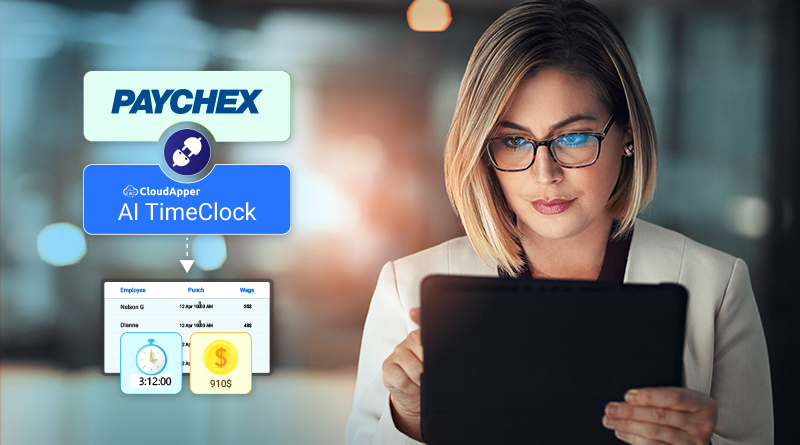
Future-Proof Your Paychex Payroll: AI-Powered Time Clock with Automation, Compliance & 24/7 HR Support
Turn Any Tablet
Into an AI Time Clock
- Time Capture
- HR Chatbot
- Self Service
- Time Card & PTO
Learn More
For more information on CloudApper AI TimeClock visit our page here.
As labor laws evolve and hybrid work becomes permanent, Paychex Payroll users face mounting pressure: manual errors, compliance violations, overtime miscalculations, and constant employee HR questions draining resources. CloudApper AI TimeClock delivers a smart, AI-driven upgrade that automates the entire time-tracking lifecycle—ensuring accuracy today while scaling effortlessly for tomorrow’s workforce demands.
Powered by a suite of AI Agents, this solution goes beyond basic punches. The 24/7 AI HR Assistant acts as an always-on virtual HR rep: Employees ask questions in natural language (“How much PTO do I have?” or “What’s my overtime policy?”), get instant answers, submit requests, or resolve issues—slashing HR inquiry volume and freeing your team for strategic work. This conversational AI handles routine tasks autonomously, reducing administrative burden dramatically.
Automation extends to compliance and pay rules: Custom AI agents enforce labor law requirements (breaks, overtime thresholds, attestations), apply rounding rules, calculate PTO accruals, and flag issues in real time via custom notifications. Audit trails and timestamps keep records compliant and defensible—vital for avoiding fines in regulated industries like healthcare, manufacturing, or services.
Integration with Paychex is native and real-time: Biometric facial recognition (touchless for hygiene), geo-fencing, offline capture, and multi-capture options feed precise data directly into payroll. No manual uploads mean fewer discrepancies and up to 30% error reduction (as demonstrated in healthcare deployments cutting processing time by 35%).
Employees benefit from empowerment: The self-service portal and mobile access let them view time cards, bid on shifts, swap schedules, request leave, or confirm safety checks—boosting transparency, engagement, and accountability without HR bottlenecks.
Setup is simple and cost-effective: Deploy on existing iOS/Android tablets—no hardware purchases, maintenance, or repairs. Businesses save up to 75% versus traditional clocks while gaining flexibility for multi-location or field teams.
In a world of constant change, CloudApper AI TimeClock future-proofs Paychex operations with intelligent automation, proactive compliance, and employee-centric tools—turning time tracking from a headache into a competitive advantage.
Discover more features and schedule a demo: CloudApper AI TimeClock.
Original article details: Boost Your Payroll Accuracy with Affordable Time Clock for Paychex.
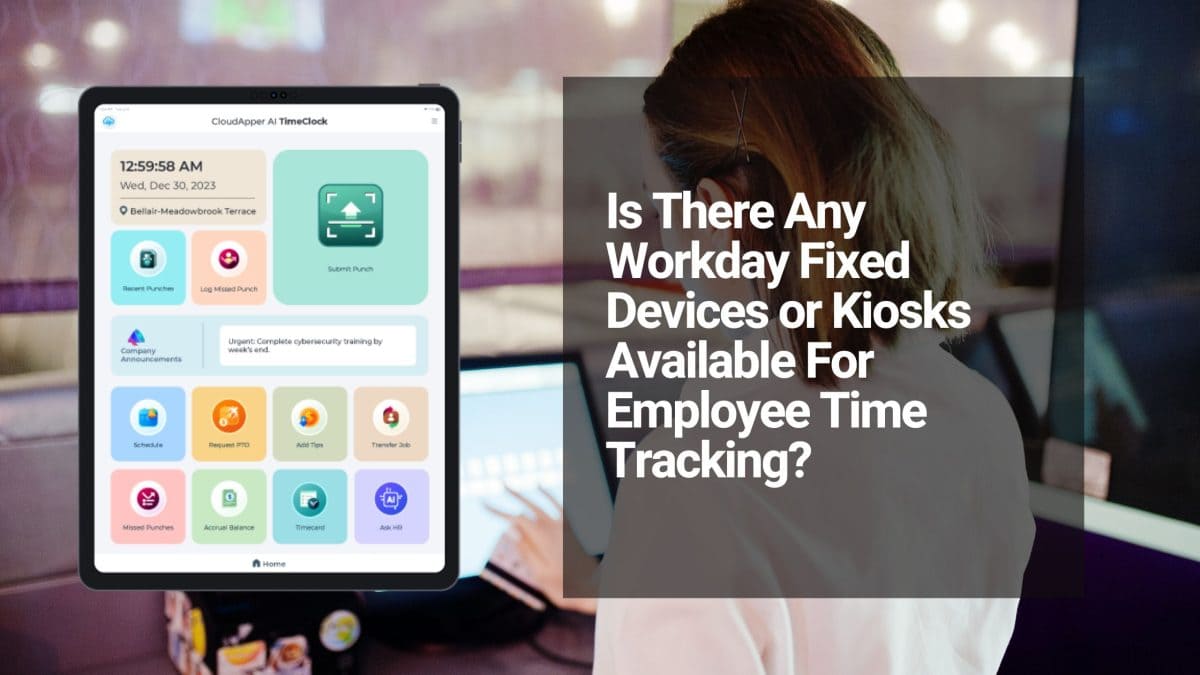
Reliable Offline Time Tracking for Workday: Never Lose a Punch in Remote or Spotty-Connectivity Environments
Turn Any Tablet
Into an AI Time Clock
- Time Capture
- HR Chatbot
- Self Service
- Time Card & PTO
Learn More
For more information on CloudApper AI TimeClock visit our page here.
In field-heavy or distributed operations—construction sites, agricultural fields, logistics fleets, utility maintenance crews, or large warehouses—unreliable internet often disrupts time tracking. Employees can’t always clock in/out reliably via mobile apps, leading to missing punches, manual corrections, delayed payroll, compliance risks, and frustrated workers who lose pay due to “lost” data.
Workday provides excellent cloud HCM and time management but relies on consistent connectivity for real-time punches. It offers no native offline-first fixed kiosks or robust mechanisms for batch-syncing from remote locations—leaving organizations to cobble together workarounds like paper timesheets, delayed mobile entries, or expensive rugged devices that still fail in poor-signal areas.
The game-changing solution? Offline-capable, tablet-based kiosks that capture time data locally (even fully offline), support group check-ins for crews, and automatically sync everything to Workday once reconnected. This ensures 100% data integrity, eliminates manual reconciliation, and keeps payroll accurate—no matter the connectivity.
Why Offline Resilience Is Critical for Remote & Field Teams
Connectivity challenges create real business pain:
- Data Loss & Disputes — Punches vanish in dead zones, leading to underpayments, overtime errors, and employee grievances.
- Manual Workarounds — Paper logs or deferred mobile entries increase admin time and error rates.
- Compliance Risks — In regulated sectors (construction, utilities, agriculture), inaccurate records can trigger audits, fines, or labor disputes.
- Crew Efficiency — Large teams need fast group clock-ins at shared stations (e.g., site trailers or vehicles) without waiting for signal.
- Scalability in Remote Areas — Expanding to new job sites shouldn’t require custom infrastructure or constant IT support.
Tablet kiosks solve this by acting as intelligent, offline-first hubs: mount one at the job trailer, break area, or vehicle, and let it handle everything locally until sync is possible.
CloudApper AI TimeClock: Offline Mastery Meets Workday Seamlessness
CloudApper AI TimeClock is built precisely for these scenarios, turning standard iOS/Android tablets into rugged, offline-capable Workday kiosks—no proprietary hardware or constant connectivity required.
Standout offline-focused features for remote/field workforces:
- True Offline Capture — Employees punch in/out, log job transfers, or enter custom data even with zero internet; data stores securely on-device.
- Automatic Smart Sync — Reconnects and pushes all queued data to Workday in real-time via certified APIs—no manual uploads or lost records.
- Group Time Capture — Ideal for crews: one supervisor verifies the team with biometrics/geo-fencing, capturing multiple punches at once—saving time on large sites.
- Touchless Biometrics + Geo-Fencing — Facial recognition (mask/PPE-friendly) and location verification ensure accurate, fraud-proof entries even offline.
- AI-Powered Automation — Pre-built AI agents handle shift rules, overtime calculations, PTO accruals, and compliance checks automatically upon sync.
- Employee Self-Service — Workers view schedules, request time off, correct entries, or ask the 24/7 AI HR Assistant—all accessible offline where possible, with full sync later.
- Low-Cost, Rapid Setup — Deploy using affordable tablets at remote sites; no expensive rugged kiosks or wiring needed—perfect for scaling across dispersed locations.
Organizations in construction, agriculture, logistics, and utilities report dramatic reductions in payroll corrections, fewer disputes, and faster processing—thanks to reliable, tamper-proof offline tracking that flows straight into Workday.
Keep Your Remote Workforce Accurate & Paid—Even Offline
For Workday users managing field, remote, or connectivity-challenged teams, CloudApper AI TimeClock delivers unbreakable time tracking reliability without the headaches of traditional systems. Capture every minute accurately, sync seamlessly, and empower your crews with confidence.
Explore offline-first time tracking tailored to your operations—visit CloudApper AI TimeClock for Workday and see how it handles your toughest environments.
This offline/resilient workforce perspective expands on the original discussion. For the complete source article, check: Is There Any Workday Fixed Devices or Kiosks Available For Employee Time Tracking?
The Most Effective Time Punch System for “Just Pay” in Security Guard & Patrol Services: Secure, Mobile AI TimeClock That Syncs Flawlessly with Payroll Systems
Turn Any Tablet
Into an AI Time Clock
- Time Capture
- HR Chatbot
- Self Service
- Time Card & PTO
Learn More
For more information on CloudApper AI TimeClock visit our page here.
In the security industry, just pay is mission-critical: guards must be compensated precisely for every hour on post, patrol mileage, overtime during emergencies, and special event premiums—without short pays that erode morale or inflated hours that damage profitability and client trust. Legacy sign-in logs, radio check-ins, or generic apps often break down: missed punches at remote sites, no proof of presence, buddy punching in crew environments, delayed payroll uploads, and disputes that lead to labor board complaints or lost contracts.
CloudApper AI TimeClock is the most effective, purpose-built time punch solution for security companies running Payroll Systems. It combines biometric verification, offline capability, and location intelligence to deliver indisputable time records—ensuring fair, transparent pay while streamlining compliance and operations.
Why Security Services Need a Robust Time Punch System for Just Pay
- Post & Patrol Verification → Geofencing + facial recognition confirms the officer is physically at the assigned post, patrol route, or event venue—eliminating false claims and proving presence for client audits.
- Offline & Remote Reliability → Punches function fully offline (critical for rural sites, construction trailers, or low-coverage industrial zones); data auto-syncs securely when connectivity returns—no gaps in records.
- Incident & Activity Logging → Officers can attach quick notes, photos, or incident flags during punches (e.g., “gate secured,” “alarm responded”)—supporting incident reports, billing justification, and liability defense.
- Overtime & Premium Pay Automation → Tracks double-time, holiday rates, and emergency call-outs automatically; accurate totals flow to Payroll Systems for correct, dispute-free compensation.
- Officer Empowerment → Mobile access to view assigned posts, check hours logged, review upcoming shifts, request time off, or see pay details—building confidence and reducing “paycheck questions” to supervisors.
Key Features Tailored for Security Guard & Patrol Teams on Payroll Systems
- Touchless Biometric Face ID → Fast, secure facial recognition (works with masks, hats, or in low light)—ideal for uniformed officers and hygiene-sensitive posts.
- Flexible Punch Methods → Face ID + QR code/NFC for quick scans at guard shacks, vehicle dashboards, or shared agency tablets.
- 24/7 AI Assistant → Instant answers for officers (“What’s my total hours this pay period?” or “Am I cleared for overtime on Saturday?”)—minimizing radio calls or supervisor interruptions during patrols.
- Seamless Payroll & Reporting Sync → Direct integration with Payroll Systems (UKG, Oracle, Workday compatibility)—punches, overtime, notes, and location data upload automatically for fast, audit-ready payroll.
- Budget-Friendly Deployment → Converts standard iPads or rugged Android tablets into intelligent time clocks—at roughly 25% of traditional guard tour hardware costs (saving up to 75% on setup and upkeep)—scalable for growing fleets or seasonal event contracts.
Security firms using comparable AI time systems report significant drops in payroll disputes, faster officer onboarding, stronger client satisfaction (thanks to verifiable post coverage), reduced overtime creep, and improved retention—all centered on delivering just pay that keeps guards motivated and loyal.
For the complete original article on the most effective time punch system for just pay, see the source: The Most Effective Time Punch System for Employees With Just Pay
Secure True “Just Pay” and Operational Excellence for Your Security Team
Provide your guards, patrol officers, and event staff with a reliable, verifiable way to record time that guarantees fair compensation and integrates directly with Payroll Systems.
Ready to eliminate time disputes, strengthen client reporting, and boost officer satisfaction? Discover CloudApper AI TimeClock – the employee timeclock application designed for frontline security teams and contact our experts for a security-industry-specific demo.
Let’s discuss your priorities: post-specific geofencing, incident logging during punches, patrol route verification, or Payroll Systems integration details!
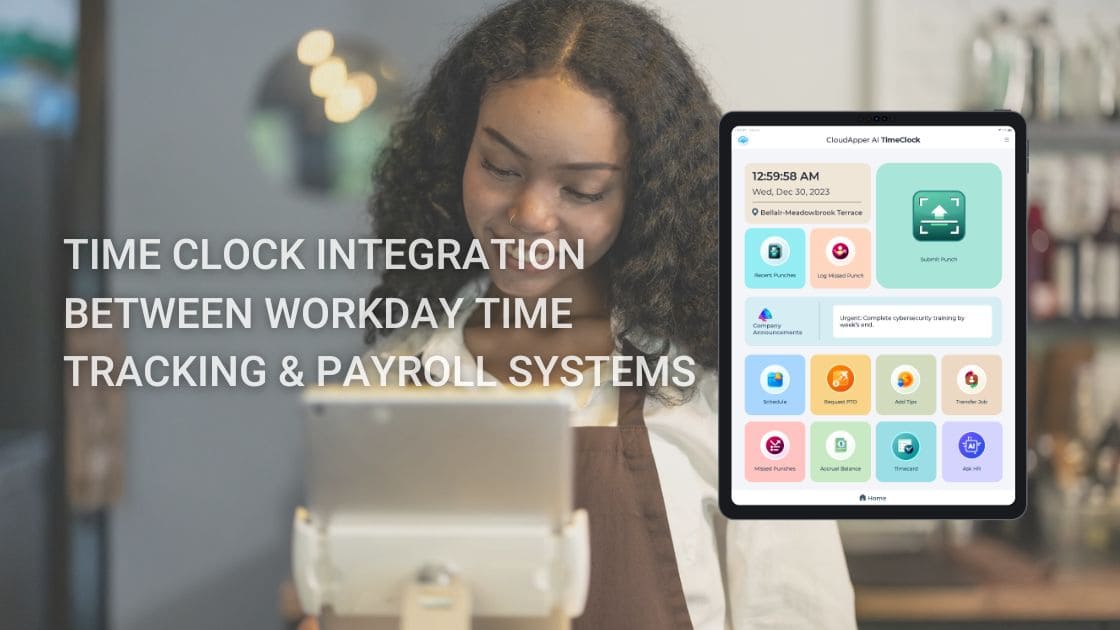
Streamlining Workday Time Tracking for Construction, Field Services & Logistics Teams: Mobile, Offline-Ready AI Integration with CloudApper AI TimeClock
Turn Any Tablet
Into an AI Time Clock
- Time Capture
- HR Chatbot
- Self Service
- Time Card & PTO
Learn More
For more information on CloudApper AI TimeClock visit our page here.
In construction, field services, and logistics, accurate time tracking directly affects project budgets, billing accuracy, compliance (e.g., prevailing wage, DOT hours-of-service), and labor cost control. Challenges abound: workers punch in at remote sites with poor/no internet, crews move between jobs daily, task/job codes vary per project phase, buddy punching occurs on shared equipment, and manual timesheets delay payroll while risking errors in overtime, per diem, or certified payroll reporting.
CloudApper AI TimeClock delivers a rugged, frontline-focused seamless Workday time clock integration that handles the demands of mobile, outdoor, and distributed teams—ensuring real-time (or near-real-time) data flows into Workday Payroll, Time Tracking, and Absence modules.
Core Challenges Solved for Construction & Logistics
- Offline Punching in Remote Areas → Clock in/out without connectivity (construction sites, rural delivery routes, utility fieldwork); data stores securely on device and auto-syncs to Workday when signal returns—eliminating lost hours or manual catch-up.
- Job/Project & Cost Code Tracking → Employees select or scan specific job codes, phases, cost centers, or tasks during punches—providing granular labor allocation for accurate job costing, billing, and profitability analysis in Workday.
- Location Verification & Fraud Prevention → Geofencing restricts punches to approved job sites, yards, or routes; biometric face recognition stops buddy punching even on shared tablets or in crew environments.
- Compliance & Reporting Automation → Enforces breaks, overtime caps, daily limits, and attestations (e.g., safety or prevailing wage rules); clean, auditable data syncs to Workday for easier certified payroll, DOT logs, and labor law adherence.
See how it works in detail: CloudApper AI TimeClock for Workday
Powerful Features Tailored to Field & Mobile Workforces
- Diverse Punch Methods → Touchless Face ID for quick, hands-free check-ins (ideal with gloves/tools); QR/barcode/NFC for badge scans or vehicle-mounted tablets in trucks/fleets.
- Mobile & Tablet Deployment → Turns any iPad/Android device into a portable time clock—no expensive fixed hardware needed; deploy at job trailers, dispatch offices, or in-cab for drivers.
- Self-Service for Workers → View schedules, request time off, swap shifts, check accruals, or submit notes (e.g., equipment downtime) directly—reducing foreman/HR interruptions on busy sites.
- 24/7 AI Assistant → Answers queries instantly (“Am I eligible for per diem today?” or “What’s my overtime status?”), automates routine tasks, and supports workers in the field without phone calls.
- High ROI & Low Cost → Affordable tablet-based solution at roughly 25% of traditional rugged clock costs (saving up to 75%)—scales easily for growing crews or multiple project sites.
Similar integrations have helped field-heavy teams reduce payroll discrepancies, improve job costing accuracy, and cut administrative time—directly translating to better margins on bids and projects.
For the core explanation of Workday time clock integration benefits, see the original source: Time Clock Integration Between Workday Time Tracking & Payroll Systems
Elevate Your Field Operations with Better Time Data
Equip your crews, drivers, and technicians with reliable, secure time capture that integrates flawlessly with Workday—driving accurate payroll, precise project tracking, and stronger compliance while minimizing downtime.
Ready to tackle remote-site challenges? Explore CloudApper AI TimeClock for Workday today and connect with our team for a demo customized to construction sites, logistics fleets, or field service workflows.
Let’s talk about your specific needs—multi-site geofencing, job code automation, or fleet integration!
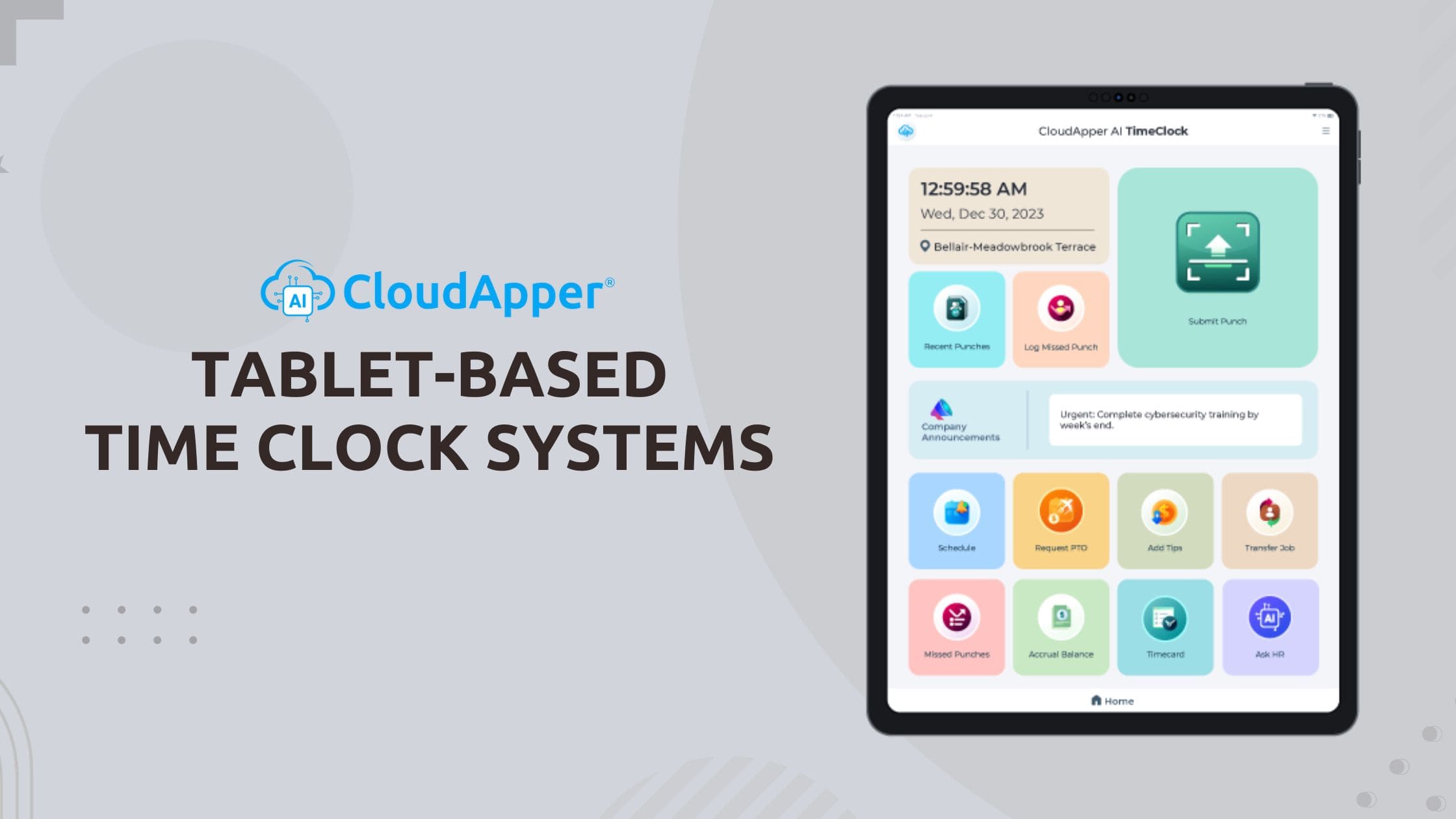
Tablet-Based Time Clocks: A Simple Upgrade for Healthcare Workforce Management & Patient Safety
Turn Any Tablet
Into an AI Time Clock
- Time Capture
- HR Chatbot
- Self Service
- Time Card & PTO
Learn More
For more information on CloudApper AI TimeClock visit our page here.
In healthcare, accurate time tracking isn’t just about payroll — it directly supports patient safety, staffing compliance, shift coverage, and regulatory reporting. Yet many hospitals and clinics still rely on outdated wall-mounted time clocks: expensive proprietary kiosks that are slow, shared (raising infection concerns), difficult to maintain, and disconnected from modern workforce needs.
A better, more hygienic, and cost-effective alternative is emerging: tablet-based time clock systems.
Using standard iPads or Android tablets, these solutions let staff clock in/out quickly and securely — with no shared surfaces, no long queues, and no need for costly hardware replacements every few years.
Why tablet time clocks are gaining traction in healthcare:
- Lower total cost — Tablets cost 70–80% less than traditional terminals (and you can often repurpose existing devices) — freeing budget for patient care priorities.
- Hygienic & touchless — Face ID or fingerprint options eliminate shared buttons/keypads — critical for infection control (see our related post on healthcare workforce challenges).
- Flexible placement — Deploy tablets at nurse stations, break rooms, entrances, or even in mobile carts — no fixed location required.
- Employee self-service — Staff can clock in/out, view schedules, request time off, swap shifts, check accruals, and access pay info — all from one device, reducing HR support calls.
- Offline support — Punches are recorded locally and auto-synced when connectivity returns — essential for areas with spotty Wi-Fi or during emergencies.
- Fraud prevention — Biometric verification (Face ID >99.5% accurate) stops buddy punching and time theft — protecting payroll accuracy and staffing budgets.
- Seamless integration — Real-time sync with major HR/payroll systems (Workday, UKG Ready/Dimensions, Ceridian, etc.) — ensuring accurate labor levels, shift differentials, and compliance reporting.
CloudApper AI TimeClock leads this shift by turning any compatible tablet into a full-featured, touchless time clock and self-service hub — without proprietary hardware or complex IT deployments.
For healthcare leaders focused on both workforce efficiency and patient safety, tablet-based time clocks are no longer a “nice-to-have” — they’re becoming a strategic necessity.
Ready to replace outdated kiosks with a hygienic, flexible, tablet-powered time tracking solution that supports better staffing and patient care?
Discover CloudApper AI TimeClock — the modern tablet clock-in system for secure, touchless time tracking and workforce management: CloudApper AI TimeClock – Employee Timeclock Application
Want the full feature list, cost comparison, integration options, and why tablet-based systems are transforming healthcare workforce management? Read the original CloudApper article: Tablet-Based Time Clock Systems for Employees: Streamlining Workforce Management
How Biometric Time Clock Integration with Workday Cuts Hardware Costs by 70%+ and Pays for Itself in Months
Turn Any Tablet
Into an AI Time Clock
- Time Capture
- HR Chatbot
- Self Service
- Time Card & PTO
Learn More
For more information on CloudApper AI TimeClock visit our page here.
Traditional Workday time clock deployments often follow the same expensive pattern: proprietary wall-mounted kiosks costing $1,000–$3,000 each, professional installation, ongoing maintenance contracts, and limited flexibility for relocation or scaling. For organizations with hundreds or thousands of employees, these costs quickly reach six figures — before even factoring in downtime, repairs, or hygiene upgrades.
There’s a far more cost-effective path: Workday biometric time clock integration using standard tablets or iPads.
CloudApper AI TimeClock turns affordable, off-the-shelf devices (often already in your environment) into secure, touchless biometric time clocks that integrate natively with Workday Time Tracking — delivering enterprise-grade functionality at a fraction of the price.
Real Cost Comparison
- Traditional Workday kiosks: $1,500–$3,000 per unit + installation ($500–$1,000 per site) + annual maintenance (~15–20% of hardware cost) → total first-year cost per location often $2,000–$5,000+
- CloudApper AI TimeClock approach: Standard tablet ($200–$500) or reuse existing devices + no-code setup (hours, not weeks) + no maintenance contracts → total first-year cost per location typically $300–$800
Savings Breakdown
- Hardware: 70–80% lower upfront cost
- Installation: No specialized technicians required — mount a tablet in minutes
- Maintenance: No proprietary parts or vendor lock-in — replace a tablet for under $500 if needed
- Scalability: Add new locations instantly without re-procurement cycles
- Hygiene upgrades: Touchless Face ID eliminates shared surfaces — no extra sanitization hardware
- Payroll accuracy: Biometric verification (>99.5% accurate Face ID) stops buddy punching → recovers 2–5% of payroll lost to time theft (often $10K–$100K+ annually for mid-sized teams)
Core Integration & Features That Deliver ROI
- Real-time sync via certified Workday APIs — punches, job transfers, labor levels, shift differentials, and accruals flow bidirectionally
- Offline resilience — data captured locally, auto-syncs when connected
- Touchless Face ID — works with masks, glasses, PPE, varying lighting
- Employee self-service — view schedules, request PTO, check accruals right at the device
- Security & compliance — encrypted flows, no stored biometric images, SOC 2/GDPR/CCPA/HIPAA-ready
Many organizations see payback in 3–9 months through hardware savings alone — before even counting reduced payroll leakage, fewer HR support tickets, and improved employee satisfaction.
If your current Workday time clock deployment is tied to costly proprietary hardware, you’re likely overpaying every year.
Ready to modernize with a biometric solution that integrates seamlessly with Workday and pays for itself quickly?
Explore CloudApper AI TimeClock for Workday — affordable, touchless biometric integration that’s secure, scalable, and built for real-world teams: CloudApper AI TimeClock for Workday
Want the full cost comparison, integration architecture, security specs, and proof of how it eliminates buddy punching while slashing hardware expenses? Read the original CloudApper article: Integrating Biometric Time Clocks with Workday
Best Affordable Touchless Biometric Time Clock for Workday: Setup Guide & Cost-Saving Alternative
Turn Any Tablet
Into an AI Time Clock
- Time Capture
- HR Chatbot
- Self Service
- Time Card & PTO
Learn More
For more information on CloudApper AI TimeClock visit our page here.
Searching for the best Workday time clock alternative? Traditional hardware terminals are costly, outdated, and vulnerable to buddy punching—especially with rising demands for hygiene, accuracy, and compliance in time tracking and payroll.
Enter CloudApper AI TimeClock, the leading touchless biometric time clock for Workday that turns any affordable iOS or Android tablet into a secure, AI-powered punch station. No expensive proprietary hardware required—just fast facial recognition, geofencing for location verification, offline support, and seamless native integration with Workday Time Tracking & Payroll.
Why it’s topping lists as a top Workday time tracking solution alternative:
- Touchless facial recognition — Secure, contactless clock-ins/outs eliminate fraud and support post-pandemic hygiene standards
- Up to 75% cost savings — Ditch pricey Workday-approved terminals; repurpose existing devices for massive ROI
- Advanced features — Job coding, break tracking, self-service PTO requests, schedules, accruals, and AI anomaly detection for error-free payroll
- Flexible deployment — Works online/offline, scales for distributed teams in manufacturing, healthcare, retail, hospitality, and more
- Easy Workday integration — Real-time sync, audit-ready data, and quick setup without heavy IT involvement
Businesses are prioritizing affordable, scalable time clock solutions that boost productivity while cutting labor costs and compliance risks. CloudApper delivers exactly that—often faster and simpler than legacy options.
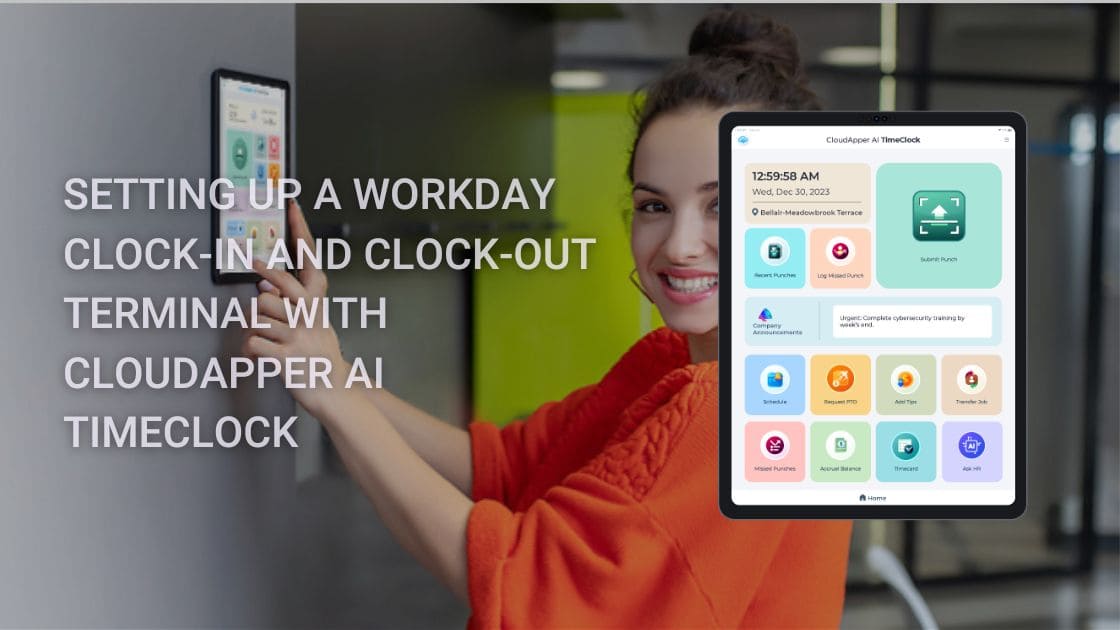
Ready to see how to configure your own dedicated Workday clock-in and clock-out terminal using this modern AI solution?
Read the full step-by-step setup guide for Workday-integrated AI time clock →
Upgrade your Workday time tracking today with a touchless, biometric powerhouse that’s built for real-world efficiency and savings.

RightPatient Blog
 No Code Mobile Apps: Build Custom Enterprise Apps Without Coding to Automate Business ProcessesApril 8, 2026 - 8:45 am
 White Label Time Clock for Workday: Achieve Premium Branding Without Expensive HardwareMarch 31, 2026 - 11:39 am
 Workday Employee Self-Service Kiosk: Simplify Time Tracking and Payroll for Frontline TeamsMarch 30, 2026 - 11:44 am
 How AI Creates Fairer Hiring That Candidates Actually Love: Reducing Bias While Improving ExperienceMarch 24, 2026 - 11:03 am