
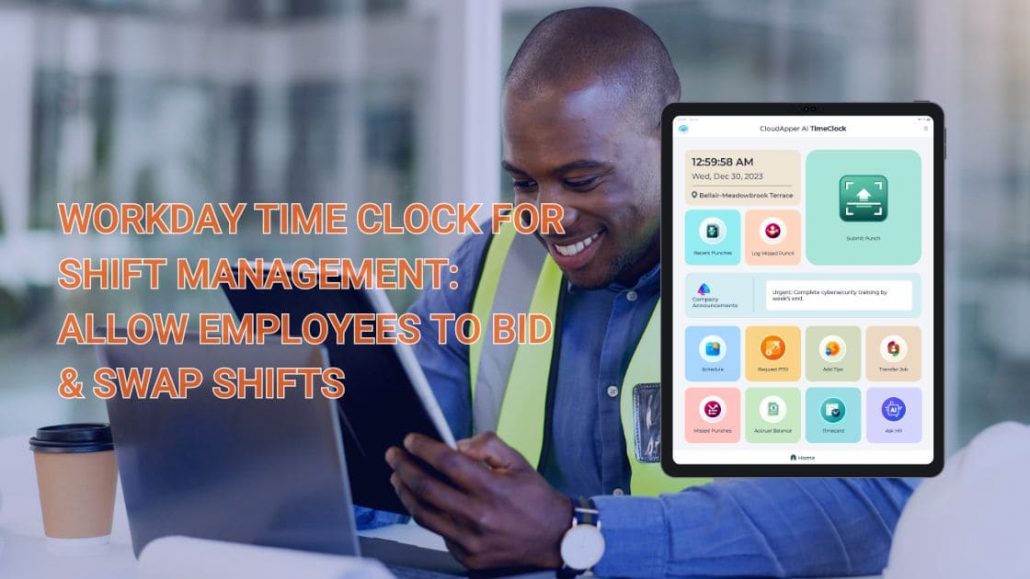
How Self-Service Shift Management in Workday Can Cut Scheduling Costs and Chaos by 50%+
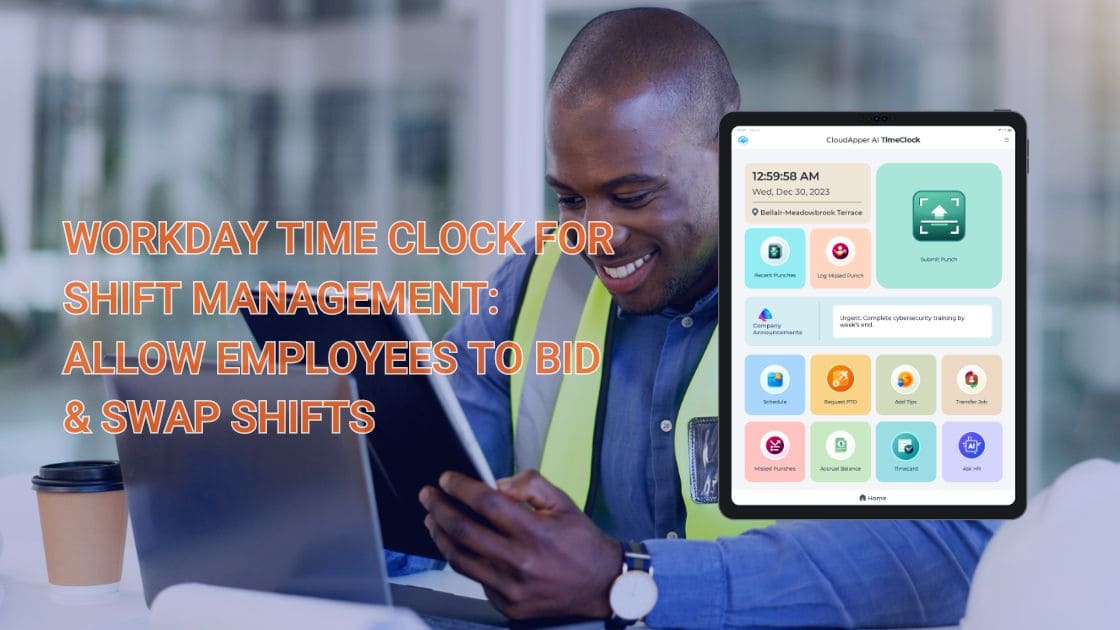
Turn Any Tablet
Into an AI Time Clock

 Time Capture
- HR Chatbot
- Self Service
- Time Card & PTO
Learn More
For more information on CloudApper AI TimeClock visit our page here.
This article is inspired by CloudApper’s original guide on modernizing shift workflows in Workday. For the complete feature set, integration walkthrough, and real-world examples, read the full post here: Workday Time Clock for Shift Management: Allow Employees to Bid & Swap Shifts
Shift scheduling remains one of the biggest hidden time-sinks in HR and operations teams — especially in industries with variable demand, high turnover, and 24/7 coverage needs. Coordinators spend hours (sometimes days) every week reviewing requests, filling open slots, resolving conflicts, and updating Workday calendars manually.
The hidden costs are significant:
- Overtime spikes from last-minute coverage gaps
- Burnout among schedulers juggling spreadsheets, emails, and phone calls
- Employee frustration when preferred shifts or swaps are denied without clear reasoning
- Compliance risks when union rules, seniority, or labor laws aren’t consistently applied
- Higher turnover when staff feel they have no control over their schedules
The solution isn’t hiring more coordinators — it’s giving employees self-service control within Workday itself.
Modern Workday shift management tools let frontline workers handle the scheduling process directly:
- Shift bidding — view open shifts and submit bids based on availability, seniority, or preference
- Shift swap — propose direct trades with qualified colleagues; the system checks conflicts and notifies managers for quick approval
- Job bidding — bid on preferred roles, departments, or tasks when openings appear
- Vacation bidding — compete fairly for desired vacation slots during peak periods or annual cycles, with automated rule enforcement
- Mobile clock-in/out — secure, touchless punching (Face ID, PIN, QR, NFC) from any device, with GPS verification and offline support
- Real-time visibility — employees and managers see updated schedules, coverage status, and accruals instantly
By moving these tasks to employees, organizations typically see:
- 50–70% reduction in scheduling admin time
- Fewer unfilled shifts and emergency overtime costs
- Improved compliance through automated enforcement of seniority, qualifications, and union rules
- Higher employee satisfaction and retention (flexibility ranks among top retention drivers)
- Full audit trails — every bid, swap, and approval is logged in Workday for reporting and audits
CloudApper AI TimeClock extends Workday Time Tracking with exactly these capabilities — no proprietary hardware needed. Employees use affordable tablets or their own phones, while data syncs natively and securely to Workday via certified APIs.
For a closer look at CloudApper’s touchless biometric features and AI-assisted tools built specifically for Workday, visit: CloudApper AI TimeClock for Workday
The result? A leaner, more agile scheduling process that reduces costs, minimizes errors, improves coverage, and turns employees into active partners in workforce planning — all without disrupting your existing Workday investment.
If your current Workday shift management still depends heavily on manual coordination, the inefficiency is likely costing more than you think.
Ready to shift the workload from coordinators to employees and see real efficiency gains?
Explore the original CloudApper article for in-depth details on how Workday shift management becomes employee-driven with shift bidding, shift swap, job bidding, vacation bidding, and mobile time tracking: Workday Time Clock for Shift Management: Allow Employees to Bid & Swap Shifts
Similar Posts
White Label Time Clock for Workday: Achieve Premium Branding Without Expensive Hardware
Workday Employee Self-Service Kiosk: Simplify Time Tracking and Payroll for Frontline Teams

Streamlining Workday Time Clock Rounding for Manufacturing: Precision, Shift Handovers & Labor…

Future-Proof Your Paychex Payroll: AI-Powered Time Clock with Automation, Compliance & 24/7…

RightPatient Blog
 White Label Time Clock for Workday: Achieve Premium Branding Without Expensive HardwareMarch 31, 2026 - 11:39 am
 Workday Employee Self-Service Kiosk: Simplify Time Tracking and Payroll for Frontline TeamsMarch 30, 2026 - 11:44 am
 How AI Creates Fairer Hiring That Candidates Actually Love: Reducing Bias While Improving ExperienceMarch 24, 2026 - 11:03 am
 Data Readiness Roadblock: Why Poor Data Quality Is Killing Most Enterprise AI Initiatives—and How to Fix ItMarch 13, 2026 - 10:08 am


Leave a Reply
Want to join the discussion?Feel free to contribute!