
How Biometric Time Clock Integration with Workday Cuts Hardware Costs by 70%+ and Pays for Itself in Months
Turn Any Tablet
Into an AI Time Clock

 Time Capture
- HR Chatbot
- Self Service
- Time Card & PTO
Learn More
For more information on CloudApper AI TimeClock visit our page here.
Traditional Workday time clock deployments often follow the same expensive pattern: proprietary wall-mounted kiosks costing $1,000–$3,000 each, professional installation, ongoing maintenance contracts, and limited flexibility for relocation or scaling. For organizations with hundreds or thousands of employees, these costs quickly reach six figures — before even factoring in downtime, repairs, or hygiene upgrades.
There’s a far more cost-effective path: Workday biometric time clock integration using standard tablets or iPads.
CloudApper AI TimeClock turns affordable, off-the-shelf devices (often already in your environment) into secure, touchless biometric time clocks that integrate natively with Workday Time Tracking — delivering enterprise-grade functionality at a fraction of the price.
Real Cost Comparison
- Traditional Workday kiosks: $1,500–$3,000 per unit + installation ($500–$1,000 per site) + annual maintenance (~15–20% of hardware cost) → total first-year cost per location often $2,000–$5,000+
- CloudApper AI TimeClock approach: Standard tablet ($200–$500) or reuse existing devices + no-code setup (hours, not weeks) + no maintenance contracts → total first-year cost per location typically $300–$800
Savings Breakdown
- Hardware: 70–80% lower upfront cost
- Installation: No specialized technicians required — mount a tablet in minutes
- Maintenance: No proprietary parts or vendor lock-in — replace a tablet for under $500 if needed
- Scalability: Add new locations instantly without re-procurement cycles
- Hygiene upgrades: Touchless Face ID eliminates shared surfaces — no extra sanitization hardware
- Payroll accuracy: Biometric verification (>99.5% accurate Face ID) stops buddy punching → recovers 2–5% of payroll lost to time theft (often $10K–$100K+ annually for mid-sized teams)
Core Integration & Features That Deliver ROI
- Real-time sync via certified Workday APIs — punches, job transfers, labor levels, shift differentials, and accruals flow bidirectionally
- Offline resilience — data captured locally, auto-syncs when connected
- Touchless Face ID — works with masks, glasses, PPE, varying lighting
- Employee self-service — view schedules, request PTO, check accruals right at the device
- Security & compliance — encrypted flows, no stored biometric images, SOC 2/GDPR/CCPA/HIPAA-ready
Many organizations see payback in 3–9 months through hardware savings alone — before even counting reduced payroll leakage, fewer HR support tickets, and improved employee satisfaction.
If your current Workday time clock deployment is tied to costly proprietary hardware, you’re likely overpaying every year.
Ready to modernize with a biometric solution that integrates seamlessly with Workday and pays for itself quickly?
Explore CloudApper AI TimeClock for Workday — affordable, touchless biometric integration that’s secure, scalable, and built for real-world teams: CloudApper AI TimeClock for Workday
Want the full cost comparison, integration architecture, security specs, and proof of how it eliminates buddy punching while slashing hardware expenses? Read the original CloudApper article: Integrating Biometric Time Clocks with Workday
Similar Posts
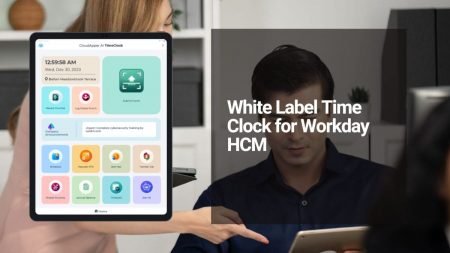
White Label Time Clock for Workday: Achieve Premium Branding Without Expensive Hardware
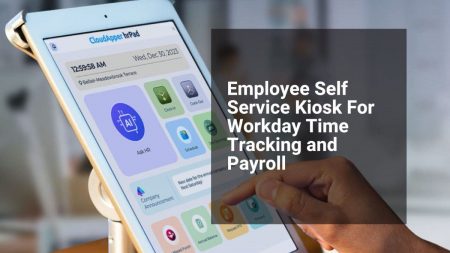
Workday Employee Self-Service Kiosk: Simplify Time Tracking and Payroll for Frontline Teams

Streamlining Workday Time Clock Rounding for Manufacturing: Precision, Shift Handovers & Labor…
Future-Proof Your Paychex Payroll: AI-Powered Time Clock with Automation, Compliance & 24/7…

RightPatient Blog
 No Code Mobile Apps: Build Custom Enterprise Apps Without Coding to Automate Business ProcessesApril 8, 2026 - 8:45 am
 White Label Time Clock for Workday: Achieve Premium Branding Without Expensive HardwareMarch 31, 2026 - 11:39 am
 Workday Employee Self-Service Kiosk: Simplify Time Tracking and Payroll for Frontline TeamsMarch 30, 2026 - 11:44 am
 How AI Creates Fairer Hiring That Candidates Actually Love: Reducing Bias While Improving ExperienceMarch 24, 2026 - 11:03 am


Leave a Reply
Want to join the discussion?Feel free to contribute!