
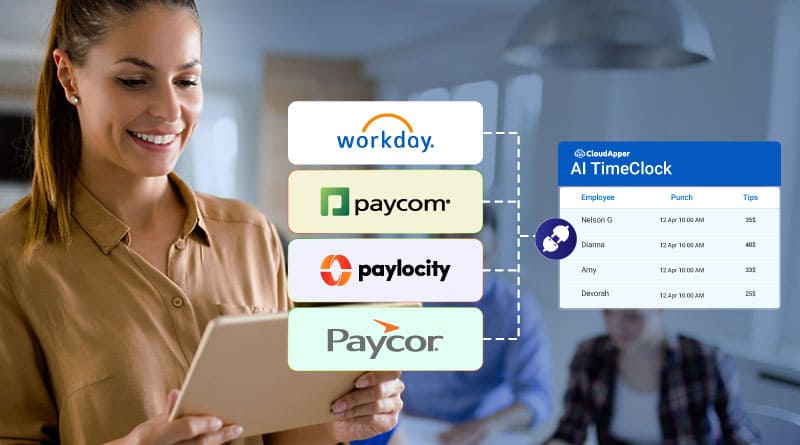
Why Construction and Field Service Companies Lose Money on Every Payroll Run — And How to Fix It With Workday and Paycom
Turn Any Tablet
Into an AI Time Clock

 Time Capture
- HR Chatbot
- Self Service
- Time Card & PTO
Learn More
For more information on CloudApper AI TimeClock visit our page here.
Most articles about connecting Workday HCM to Paycom are written for office-based HR teams. But if you manage payroll for a construction firm, facilities management company, or field service organization, your reality is different — and far messier.
Your workforce is spread across job sites with no fixed terminals. Supervisors collect paper timesheets. Employees log hours from trucks, trailers, or phones with spotty connectivity. By the time that data reaches Paycom for processing, it has passed through too many hands, too many spreadsheets, and too many opportunities for error.
The result: overpayments on unverified overtime, underpayments that trigger disputes, and an HR team spending half of every pay period cleaning up data instead of running payroll.
The Core Problem: Time Data That Was Never Captured Correctly
The Workday-to-Paycom integration itself isn’t broken. What’s broken is everything that happens before data enters Workday.
Field service companies commonly face:
- No reliable clock-in mechanism at remote sites — employees self-report hours or supervisors estimate them
- Offline gaps — job sites without internet mean time data is batched and uploaded late, missing payroll cutoffs
- Job cost allocation errors — hours aren’t tagged to the right project codes, creating billing and compliance headaches
- Geographically dispersed supervisors who can’t verify whether an employee was actually on-site
Once inaccurate data enters Workday, it flows directly into Paycom — and the error gets paid out. Fixing it afterward costs more than preventing it at the source.
How AI-Powered Time Capture Fixes the Problem at the Source
CloudApper AI TimeClock is built for exactly this scenario. Unlike traditional hardware time clocks that require fixed installation, it runs on any existing Android tablet or iPad — which means you can deploy it in a site trailer, a field vehicle, or a temporary job-site office in hours, not weeks.
Here’s what it does for field service and construction workflows:
Offline punch capture with automatic sync. Employees clock in and out even without internet. The system queues the data locally and syncs it to Workday the moment connectivity is restored — no lost punches, no manual re-entry.
Geofencing to verify job-site presence. The system only allows clock-ins within a defined GPS radius of the worksite. If an employee tries to punch in from home or a different location, the system flags it. This alone eliminates a significant source of payroll inflation in field-based teams.
Facial recognition to eliminate buddy punching. On shared tablets at a construction site, anyone can punch in for a colleague. Touchless face recognition ensures only the verified employee can record their own time — no cards, no PINs, no workarounds.
Job code and cost center tagging at punch time. Employees select their project code when they clock in, so hours are immediately allocated correctly. This data flows into Workday and then to Paycom already tagged — no reconciliation needed at month end.
The Integration Layer: From Workday to Paycom Without Spreadsheets
Once clean, verified time data is captured, CloudApper’s enterprise iPaaS platform handles the data transformation and routing between Workday HCM and Paycom. Custom rulesets apply your specific overtime policies, union rules, or prevailing wage calculations before the data is sent — so Paycom receives payroll-ready hours, not raw punch data.
The flow looks like this:
Field employee punches in → Geofencing + face recognition verifies presence → Job code tagged → Data syncs to Workday in real time → Custom rules applied (overtime, differentials, union rates) → Clean hours pushed to Paycom for payroll processing
No file exports. No spreadsheet handoffs. No manual corrections.
For a deeper look at how this integration works across Paycom, Paycor, and Paylocity, see the full guide: Integrating Workday HCM with Paycom, Paycor, and Paylocity for Payroll Processing.
What Construction and Field Service Companies Gain
Adopting this approach delivers measurable outcomes:
- Payroll closes faster — verified, rule-compliant hours arrive in Paycom without manual intervention
- Overtime disputes drop — geofencing and biometric verification create an audit trail that’s difficult to dispute
- Job costing becomes accurate — hours are tagged at source, not allocated after the fact
- HR workload shrinks — the team stops reconciling data and starts focusing on workforce strategy
Getting Started: Three Practical Steps
Step 1: Identify your current time capture gap. Where exactly does inaccurate data enter your Workday-to-Paycom pipeline — at the punch, during supervisor approval, or at export?
Step 2: Deploy CloudApper AI TimeClock on existing tablets at your top two or three job sites. No new hardware required. The CloudApper team configures your specific overtime rules, geofences, and project codes before go-live.
Step 3: Let the integration run. Monitor the first two payroll cycles to validate accuracy, then roll out across all sites.
Field service payroll doesn’t have to be a fire drill every two weeks. With the right time capture layer connecting your workforce to Workday and Paycom, accurate payroll becomes a process — not a rescue operation.
→ Explore CloudApper AI TimeClock or learn more about the CloudApper platform to see how it fits your Workday environment.
Similar Posts
Why Multi-Location Retail Operations on Workday Can’t Afford a Dumb Time Clock
Workday Time Tracking for Home Health Agencies: The Geofencing Gap That Creates…
Your Time Clock Is the First Thing New Hires Learn About How…
Who Actually Picked Your Workday Time Clock — And Did They Ever…

RightPatient Blog
 Why Construction and Field Service Companies Lose Money on Every Payroll Run — And How to Fix It With Workday and PaycomJune 3, 2026 - 10:15 am
 How to Add AI to UKG, Workday, or SAP SuccessFactors Without Disrupting Your HR OperationsMay 23, 2026 - 11:51 am
 Why Multi-Location Retail Operations on Workday Can’t Afford a Dumb Time ClockMay 22, 2026 - 12:12 pm
 Workday Time Tracking for Home Health Agencies: The Geofencing Gap That Creates Compliance RiskMay 21, 2026 - 11:40 am

Leave a Reply
Want to join the discussion?Feel free to contribute!